Quick Start & Installation
Install the skill package into every agent harness the installer detects on your machine, with one command:
git clone https://github.com/belajarcarabelajar/vivera.git
cd vivera
./install.sh
A plain ./install.sh runs the standard tier (see Prerequisites) and does this:
| Step | What it does |
|---|---|
| Links the skills | The skill package (SKILL.md, the seven sucp-* phase skills, templates/, examples/ and the two Mermaid configs) is linked into each target with absolute paths into this checkout, so keep the checkout where it is. --copy copies the files instead. |
| Picks the targets | ~/.config/ai and ~/.agents/skills always. Every other harness only when it is detected (its directory under your home, or its CLI on PATH, ~/.local/bin or ~/.bun/bin; the table below names the directory and the CLI of each target, and the CLI is looked for in all three places for every row) or named with --only ID,ID. A bare home gets just those two. |
| Renders the sprite agents | The seven Harvest Sprite subagent files are generated, not linked, for each detected harness among Claude Code, OpenCode, Codex, Cursor, Copilot and Antigravity. This needs bun, so tier minimal skips it. |
| Enables the git hook | Sets core.hooksPath=.githooks in this checkout, only when graphify is installed and the checkout has its own .git. Undo it with git -C <checkout> config --unset core.hooksPath. |
| Protects your files | A file or directory already at a destination that is not the installer's own is moved to <name>.vivera-bak-<UTC time> first (a [BACKUP] line), so nothing is overwritten. |
Look before you install, and check afterwards:
./install.sh --dry-run   # prints what it would do, writes nothing
./install.sh --check     # reports whether the install is current, changes nothing
./install.sh -h          # lists every flag
--check prints check: CURRENT and exits 0 when every selected target is in order, exits 1 when it found a
problem, and exits 2 when no selected target has skills and no sprite directory can be checked (for example --only codex with --tier minimal, or on a machine without bun; with bun present, --only codex checks the sprite directory and exits 1 if it is missing). A machine with nothing installed exits 1. A bad flag, an unknown target id or an unset HOME
exits 2.
Install channels
The git clone is the one route that was run end to end. The others exist in the repository, and the Status column says how far each one was tested. "Verified" means run on Linux x86_64 (Arch Linux, Bun 1.4.2) on 2026-10-11 in a throwaway home, with the exit code checked.
| Channel | What it is | Status |
|---|---|---|
Git clone and ./install.sh | The three commands above. | Verified on Linux. |
| Release tarball (offline) | vivera-<tag>.tar.gz plus .sha256, built by scripts/release/build-archive.sh from git archive. Extract it and run ./install.sh. The tree has no .git, so the git hook step is skipped (with graphify absent it is skipped for that reason first). | An install from a git archive HEAD tree is verified (exit 0). The installer makes no network call. No release is published yet (0 tags), so there is nothing to download. |
scripts/bootstrap.sh | curl -fsSL <url>/bootstrap.sh | bash -s -- --ref v1.2.3 -- --tier standard. It accepts only a release tag of at most 100 characters (never a branch or a SHA), downloads the archive and its .sha256, checks the SHA-256 before it extracts anything, extracts into ${XDG_DATA_HOME:-$HOME/.local/share}/vivera/<tag>/ (VIVERA_HOME or --dest changes the place), then runs the extracted install.sh with the arguments after --. The network is reached over https only: a plain-http base, and any redirect to another scheme (with curl or with wget), is refused; a file:// base for a local mirror needs curl; --dest must not be empty. | Not verified against a real release: there are 0 tags, and the tests use file:// fixtures plus loopback http and self-signed https servers (to prove a plain-http base and an https-to-http redirect are refused); nothing is fetched from github.com. <url> is a placeholder, because where bootstrap.sh will be served is not decided: do not run that line from this README. |
| Release workflow | .github/workflows/release.yml runs only when a person dispatches it, with the inputs tag and dry_run (default true). A dry run runs the read-only build job and publishes nothing. publish runs only when dry_run is false, only on the default branch, and refuses a tag or release that already exists. | Not run. The first real publish is a human decision. |
| Docker and devcontainer | Dockerfile (base oven/bun:1.4.2-debian, the base image's non-root bun user (uid 1000), runs ./install.sh --tier standard --only agents) and .devcontainer/devcontainer.json, which builds the base stage. | Not verified: docker and podman are absent here, nothing was built, and the tests only read the files. |
install.ps1 (Windows native) | A PowerShell installer: install.ps1 in the repository root plus scripts/install/windows-core.ps1 and scripts/install/windows-ops.ps1, which it loads from the checkout. It copies and never makes a symlink, installs the skills only (no sprite agents: use ./install.sh from WSL or Git Bash), and takes -Only -Skip -DryRun -Check -Update -Uninstall -Help (-Tier is accepted and ignored: skills only at every tier). Run it as powershell.exe -NoProfile -ExecutionPolicy Bypass -File install.ps1 -DryRun. | Parsed and run under PowerShell 7.6.6 on Linux, by behaviour tests that run when pwsh is on PATH (or named in PWSH) and skip otherwise. Not verified on Windows, on Windows PowerShell 5.1 or on NTFS junctions. Start with -DryRun, then -Check. |
| Claude Code marketplace | The repository as a one-plugin marketplace. | Parked, see below. |
Antigravity plugin (agy plugin) | agy plugin install from a GitHub URL or a local path. | Adopt later: nothing was installed. See below. |
What the bootstrap checksum proves: it is served from the same release origin as the archive, so it detects a corrupted download or a swapped archive. It does not detect a compromised release, because whoever can replace the archive can replace the checksum.
Why the marketplace is parked. A spike on 2026-10-11 ran claude plugin validate, marketplace add,
install and details on an isolated home. The packaging works: validation passed and 8 skills were
listed. It was parked for three reasons:
- The master skill loads its phase skills by bare name (
sucp-rules,sucp-plan) and stops if one cannot be loaded. The docs show plugin skills with the plugin name as a prefix (/vivera:sucp-rules). Whether the model's Skill tool accepts the bare name is not documented, and no live session was run, so it is unverified. - The fallback path
~/vivera/skills/<name>/SKILL.mddoes not exist on a machine that has only the plugin. - A plugin rooted at the repository installs about 498 MB of dependencies into the cache, against 720 KB for a skills-only copy.
It becomes a build if one live session on an isolated home shows the bare name loading, or if the owner teaches the master skill both names.
Why the Antigravity plugin waits. agy plugin validate accepted a copy of the skills (8 processed), but
nothing was installed. Where a CLI install lands, whether staging keeps the symlinks of the skill package,
and how an update works were not measured. A plugin would add a channel and would not replace the links
into the Antigravity skills directories.
Prerequisites
Choose a tier with --tier minimal|standard|full (default standard). The tool list is
scripts/install/tiers.tsv, which install.sh and scripts/validate-skill.mjs both read, so the installer
and the validator cannot disagree about a tier.
| Tier | Needs on your machine | What it installs |
|---|---|---|
minimal | Nothing beyond bash and basename, dirname, head, ln, mkdir, readlink and uname for a first install, --dry-run, --check and an --update that moves nothing aside. Moving a file aside also needs date and mv, --uninstall needs rm (and mv to put a backup back), and --copy needs cmp, diff, cp, mv and find. | The skills only: no sprite agents (they need bun) and no git hook (it needs git). Verified with git and bun absent from PATH: install exits 0 and --check prints check: CURRENT (with (sprite agents not verified: ...) appended when a sprite harness is selected). |
standard (default) | git, bun | The skills and the sprite agents, plus the git hook when graphify is installed and this is a git checkout. A missing gh or tgrep prints one warning each, and the run goes on. The other optional tools in the table below (rtk, context-mode, opencode, snipset, graphify) warn the same way, so a machine that has only git and bun sees seven warnings (gh, tgrep, graphify, rtk, context-mode, opencode, snipset); a machine without git or bun stops with exit 1 at the first missing one, before any warning. |
full | git, bun, gh, tgrep | The same files as standard. It only makes gh and tgrep mandatory. |
The tools, from scripts/install/tiers.tsv:
| Tool | Required from | What you lose when it is absent |
|---|---|---|
git | standard | Repo self-check and core.hooksPath setup. |
bun | standard | Every script, sprite rendering and tests. |
gh | full | Plan issue sync and PR creation. |
tgrep | full | Trigram-indexed code search and the validate gate. |
graphify | never | Knowledge-graph query and the pre-commit graph refresh. |
rtk | never | Output-compressing proxy. |
context-mode | never | Token-efficient output routing. |
opencode | never | The OpenCode harness. |
snipset | never | Snipset database and MCP tools. |
- A required tool that is missing exits 1. That is
gitandbunatstandard, plusghandtgrepatfull. - An optional tool that is missing warns. At
standardandfull, a tool the chosen tier does not require prints one warning that names what is lost, and the run goes on. The installer finds a tool onPATH, then in~/.local/bin, then in~/.bun/bin. --checkand--uninstallask for no tool, at any tier. The sprite agent directories are checked and removed only whenbunis present: without it--checkskips them and--uninstallkeeps the files and says to delete the marked ones by hand.- Bun >= 1.1.0 (bun.sh) is the runtime for this repository's scripts and tests, and
package.jsonpinsbun@1.4.2. All dependency installation usesbun install/bun add, and all JS/TS execution usesbun test/bun run.npm install,npm test,yarn, andpnpmare strictly prohibited. Install it withcurl -fsSL https://bun.sh/install | bash../install.shitself needs nobun installfirst: a tree with nonode_modulesinstalled and rendered the sprites. - Node.js is not needed to install, or to run the Bun scripts. It is needed to render Mermaid diagrams
(
scripts/render-diagrams.shand the Mermaid part ofscripts/validate-skill.mjs):mmdcfrom@mermaid-js/mermaid-clistarts with#!/usr/bin/env node, andpackage.jsonasks for Node >= 22.13.0. The only lockfile isbun.lock. ripgrep(rg) &tgrep: Primary code search usesrg(v15.2+ direct binary with smart-case).tgrep(microsoft/tgrep) is used for trigram-indexed search in indexed repositories and shell pipe filtering. Raw GNUgrepis strictly prohibited.tgrepis required only at tierfull: atstandardinstall.sh prints one warning when it is missing (none atminimal) and the skill's search rule (skills/sucp-rules/SKILL.md) acceptsrgortgrep, sorgalone satisfies it.
Platform matrix
"Verified" is the same definition as in Install channels: run on Linux x86_64 (Arch Linux, Bun 1.4.2) in a throwaway home, exit code checked. Anything else is "not verified".
| Channel and tier | Linux x86_64 (this machine) | macOS | WSL | Windows native | Docker |
|---|---|---|---|---|---|
./install.sh, minimal | Verified (no git, no bun on PATH: exit 0, and check: CURRENT with the sprite-agents note appended when a sprite harness is selected) | Not verified | Not verified | Not verified | Not verified |
./install.sh, standard | Verified (install, --check, --update, --uninstall, --copy and backups, all exit 0) | Not verified | Not verified | Not verified | Not verified |
./install.sh, full | Verified (real git, gh, bun and tgrep on PATH: install, --check, --update and --uninstall all exit 0; with gh or tgrep missing, install exits 1) | Not verified | Not verified | Not verified | Not verified |
./install.sh in Git Bash, MSYS or Cygwin | n/a | n/a | n/a | Defaults to --copy and prints a [NOTE]. Seen only with a stub uname, not on Windows: not verified | n/a |
| Release tarball, any tier | Verified for an install from a git archive tree (exit 0); no release exists to download | Not verified | Not verified | Not verified | Not verified |
scripts/bootstrap.sh | Not verified against a real release (file:// and loopback test servers only) | Not verified | Not verified | Not verified | Not verified |
install.ps1 | Run under PowerShell 7.6.6 by behaviour tests (they skip without pwsh) | n/a | n/a | Not verified on Windows, Windows PowerShell 5.1 or NTFS junctions | n/a |
Dockerfile and devcontainer, standard only | n/a | n/a | n/a | n/a | Not verified: never built |
- macOS: the bootstrap script says it runs on bash 3.2, but the installer was never run on bash 3.2 or on BSD tools.
- "Not verified" means untested, not known to fail.
- A
HOMEthat is read-only makes install exit 1 and write nothing (verified on Linux).
Supported Harnesses & Target Paths
The installer has 10 targets, listed here in install order. The first two are always installed. Every
other target is installed only when its harness is detected, or when you name it with --only.
| Target id | Harness | Detected when | Skills go to | Sprite agents go to | Do the sprites load? |
|---|---|---|---|---|---|
ai-config | Personal config mirror | always | ~/.config/ai/Super Ultra Code Plan Implementation.md (one link) | none | n/a |
agents | Universal Agents | always | ~/.agents/skills/ | none | n/a |
antigravity | Antigravity 2.0 and the IDE | ~/.gemini exists, or agy is on PATH | ~/.gemini/config/skills/ | ~/.gemini/config/agents/<sprite>/agent.md | not verified (Antigravity 1.3.3) |
antigravity-cli | Antigravity CLI (agy) | ~/.gemini/antigravity-cli exists, or agy is on PATH | ~/.gemini/antigravity-cli/skills/ | none | n/a |
antigravity-builtin | Antigravity CLI built-in skills dir | ~/.gemini/antigravity-cli/builtin/skills exists | ~/.gemini/antigravity-cli/builtin/skills/ | none | n/a |
opencode | OpenCode | ~/.config/opencode exists, or opencode is on PATH | ~/.config/opencode/skills/ | ~/.config/opencode/agents/<sprite>.md | listed in opencode debug agents (OpenCode v2.0.24), not run with a prompt |
claude | Claude Code | ~/.claude exists (no CLI probe) | ~/.claude/skills/ | ~/.claude/agents/<sprite>.md | not verified (Claude Code 2.1.296) |
codex | Codex | ~/.codex exists, or codex is on PATH | none | ~/.codex/agents/<sprite>.toml | not verified (CLI not installed here) |
cursor | Cursor | ~/.cursor exists, or cursor-agent is on PATH | none | ~/.cursor/agents/<sprite>.md | not verified (CLI not installed here) |
copilot | Copilot CLI | ~/.copilot exists, or copilot is on PATH | none | ~/.copilot/agents/<sprite>.agent.md | not verified (CLI not installed here) |
Every skills directory above except ~/.config/ai holds super-ultra-code-plan/ (SKILL.md, templates/, examples/ and the two
Mermaid configs) next to the seven phase skills, sucp-<name>/SKILL.md. Runs on Linux in a throwaway home
checked the directory-based and the CLI-based detection and the skills and sprite paths of all 10 targets,
using stub CLIs for detection.
Gemini CLI (gemini) is not a target. Google stopped serving it to free, AI Pro and Ultra accounts on
2026-06-18 and replaced it with Antigravity CLI (agy), which the antigravity-cli target covers
(https://developers.googleblog.com/an-important-update-transitioning-gemini-cli-to-antigravity-cli/).
It remains available under a Code Assist Standard or Enterprise licence or with a paid API key; those
users can link the skill package into ~/.gemini/skills/ themselves. An earlier revision of this
installer had a gemini-cli target; --only gemini-cli now exits 2 as an unknown target.
- Detected, not installed. A target that is absent after a successful
./install.shmeans its harness was not detected, not that the install failed. The installer does not create an empty config tree for a harness you do not have../install.sh --dry-runlists the targets your machine qualifies for. A bare home gets only~/.config/aiand~/.agents/skills. - Naming a target.
--only ID,IDinstalls exactly those ids, detected or not, and does not add the two always-installed targets (--only claudeinstallsclaudeand nothing else).--skip ID,IDremoves ids and wins over--only. Both flags can repeat and accumulate, and an unknown id exits 2. Older versions of the installer created the OpenCode and Antigravity targets even when the harness was absent;--only opencode,antigravity,antigravity-cli,antigravity-builtinbrings that back. - Two Antigravity skills directories. The
antigravitytarget (~/.gemini/config/skills) is where Antigravity 2.0 and the IDE read skills, and the CLI reads~/.gemini/antigravity-cli/skills(theantigravity-clitarget), according to the Antigravity docs read for theagy pluginresearch. Neither path was confirmed by loading a skill. - Codex, Cursor and Copilot have no skills target. The installer takes their skills to come from
~/.agents/skills, which was not checked against those three harnesses. They get sprite agents only. - Sprite agents are rendered, and only OpenCode is confirmed to list them (no harness was run with a model prompt). Six harnesses get them
(Claude Code, OpenCode, Codex, Cursor, Copilot and the
antigravitytarget).antigravity-cliandantigravity-builtinget none, and tierminimalrenders none. OpenCode v2.0.24 listed all seven sprites inopencode debug agents. Antigravity 1.3.3 was not confirmed:agy agentslists only agents written withmainAgent: true, and the sprites are written withmainAgent: false. Claude Code 2.1.296 has no non-interactive lister of subagent definitions (claude agents --jsonlists background sessions and printed[]with the sprites installed), and Codex, Cursor and Copilot were never run.
Flags
./install.sh -h prints this list. The source of truth for the targets is the table above, and for the tiers
scripts/install/tiers.tsv.
| Flag | Default | Effect | Rules and exit 2 cases |
|---|---|---|---|
--tier minimal|standard|full | standard | Which tools are required (see Prerequisites). | Any other value, or a missing value, exits 2. |
--only ID,ID | off: every detected target plus the two always-installed ones | Act on exactly these targets, detected or not. Does not add ai-config or agents. | Repeats accumulate, and --only=a,b works too. An unknown id exits 2 and lists the valid ids; an empty value exits 2. |
--skip ID,ID | none | Leave these targets out. Can remove ai-config or agents. | Wins over --only. Repeats accumulate. Same exit 2 cases as --only. |
--copy | off (links) | Copy the files instead of linking them, and mark each copy (see Copy mode). Needs cmp and diff, or the run exits 1. | On Git Bash, MSYS and Cygwin it is on by default. |
--dry-run | off | Print what would be done and write nothing, in every mode. Prerequisites are still checked first. | An install or --update dry run ends with ==> Dry run finished: nothing was written (run again without --dry-run to apply it). --uninstall --dry-run ends with its own summary (would be removed), and --check ends with its check: line. If entries are left alone or no target is selected, the closing line says so instead. |
--check | off | Report whether the install is current and change nothing. Needs no bun and no git. | At most one of --check, --update, --uninstall; two of them exit 2. |
--update | off | Bring the install in line with this checkout: link what is missing, repoint stale links, refresh copies, render the sprite agents again, prune. | Asks for the tools of the chosen tier, like an install. |
--uninstall | off | Remove what the installer made and put the newest backup back. Needs no bun and no git. | Asks for no tool, whatever --tier says. |
-h, --help | off | Print the usage text and exit 0. |
| Exit | Meaning |
|---|---|
| 0 | The run finished, or --check found everything current, or -h. |
| 1 | A required tool is missing; --check found a problem; a link or copy could not be placed (your file is put back); a sprite renderer failed (the other targets still finish first); or HOME is not writable ([FAIL] cannot create <dir>: <reason> (is HOME writable?), nothing is written). |
| 2 | Usage error: an unknown argument, a bad --tier, an unknown or empty target list, a missing value, more than one mode flag, an unset HOME, or a HOME or checkout path that holds a tab or a newline. Also --check when no selected target had anything to check. |
A plain install says which harnesses it left out, with [INFO] not detected, skipped: <ids> (name one with --only to install anyway).
For codex, cursor and copilot it says [INFO] <id>: no skills target of its own (its skills come from ~/.agents/skills); installing its sprite agents only.
Tier minimal, --check and --uninstall print no warnings about optional tools.
Backup, restore, update, check and uninstall
Before it places anything, the installer judges each destination from what is on disk. No state file exists, so an install made by an older version, or by hand, is judged by the same rules.
| State | What it is | Install and --update do |
|---|---|---|
absent | Nothing there. | Create the link (or copy). |
ok | Already the wanted link (in copy mode, an identical copy). | Nothing. |
ours-stale | The installer's own and wrong: a link into this checkout that points elsewhere or dangles, or a link into the items of the old ai-skills repository, live or dangling. | Replace it, with no backup, because nothing you wrote is in it. |
foreign | Anything the installer cannot show is its own: a real file or directory without a marker, or a link that points anywhere else (even a dangling one). | Move it to a backup, then place. |
inrepo | The destination is a file of this checkout itself (for example ~/.claude/skills/sucp-rules linked to <checkout>/skills/sucp-rules). | Skip. |
viadir | An existing real file behind a symlinked directory (for example ~/.claude/skills -> ~/dotfiles/skills), or a link there that is not the installer's own; in --copy mode also the installer's own links and any absent entry. | Skip. |
| Operation | What it does | Tags you will see |
|---|---|---|
| Backup | The colliding file is moved with mv to <dest>.vivera-bak-<UTC YYYYmmddTHHMMSSZ>, for example SKILL.md.vivera-bak-20261011T080000Z. If that name is taken, -1, -2 and so on are appended. If placing the link or copy then fails, your file is moved back and the run exits 1. | [BACKUP] |
--check | Read-only: it creates, moves and removes nothing of the installer's, also with --dry-run, with --copy and on a read-only HOME (when it runs bun for the sprite check, bun itself may create its transpiler cache under ~/.bun; BUN_RUNTIME_TRANSPILER_CACHE_PATH=0 stops that). One line per path, then a verdict. | [ok], [missing], [stale], [dangling], [foreign], [skip] |
--update | Runs every step of a plain install, then prunes. A dangling link into the old ai-skills path is repointed with no backup. A sucp-* directory that this checkout no longer has is pruned, but only when it is a real directory that is the installer's own (it holds a marker, or its SKILL.md is a link the installer judges ok or ours-stale). Your own directory and a live link elsewhere are never pruned. In a directory that also holds other files, only the installer's link (or its SKILL.md and marker) is removed and the directory stays; the directory itself goes only when that leaves it empty. An edited SKILL.md, or a SKILL.md that is a symlink, is kept with a [KEEP] line. --check lists the same set as [stale]. | [PRUNED] |
--uninstall | Removes every ok or ours-stale link and then puts the newest backup back: the later UTC stamp wins, then the larger -N as a number (-10 beats -2); names that only look like a backup are ignored and older backups stay. It removes a directory with rmdir only when it is empty, with one exception: a managed copy directory (templates/, examples/) that is identical to its source, or still matches its recorded digest, is removed whole. A modified copy is kept, so your files survive. It never removes harness roots such as ~/.claude or ~/.gemini, ~/.config/ai itself, the antigravity-builtin skills directory, or the core.hooksPath setting (undo it with git -C <checkout> config --unset core.hooksPath). It removes the generated sprite files too, when bun is present. | [REMOVED], [RESTORED], [KEEP] |
--dry-run | Prints the plan and writes nothing, in install, --update and --uninstall alike. | [DRY-RUN] lines |
--check verdicts:
| Tag or last line | Meaning |
|---|---|
[ok] | The wanted link resolves (in copy mode, the copy matches). |
[missing] | Nothing there. [missing] <dir> (sprite agents) means an empty or partial sprite directory. |
[stale] | The installer's own but wrong: a link that points elsewhere in the checkout or into ai-skills, a copy where a link is expected, a copy that differs or was edited, a sucp-* directory this checkout no longer has, or sprite files that are out of date or hand-edited. --update fixes it. |
[dangling] | The installer's own link whose target does not exist (a link into this checkout or the old ai-skills repository, or the wanted link whose source file is gone). A dangling link that points anywhere else is [foreign]. |
[foreign] | Not the installer's: a real file or another link (--update would move it aside), a viadir file, or an inrepo file that is not the expected one. It counts as a problem, so a viadir file keeps --check at exit 1 until you resolve it. |
[skip] | A target with no skills to check, or a sprite directory that was not checked: no bun, tier minimal, or a directory inside this checkout or behind a symlink. The last line then says sprite agents not verified: <why>. |
[FAIL] <id> sprites: <generator line> | The sprite generator failed for a reason that is not drift, and its own line is shown instead of calling the files stale. |
[hint] those are copies made by --copy: run ./install.sh --check --copy | You checked a copy install without --copy. |
check: CURRENT | Exit 0: everything selected is in order. |
check: CURRENT (sprite agents not verified: <why>) | Exit 0, but the sprite directories were not checked (for example bun is absent). |
check: N problem(s) | Exit 1. |
check: nothing to check ... | Exit 2: no selected target has skills and no sprite directory could be checked. |
Uninstall, per destination:
| What is at the destination | --uninstall does |
|---|---|
A link that is ok or ours-stale | Removes it ([REMOVED]), then moves the newest backup back ([RESTORED]) if one exists. |
| A managed copy that is identical, or untouched since install | Removes it and restores the newest backup the same way. |
| A managed copy you modified | [KEEP] <dest> (modified copy: it stays as it is; ./install.sh --update --copy replaces it after backing yours up) |
A real file or another link (foreign), a file inside this checkout, a real file behind a symlinked directory | Keeps it with [KEEP]. |
The closing line is ==> Vivera uninstalled: N link(s) removed, R restored, K kept, and it says
link(s) or copy/copies when copies were removed. A restored link dangles if the checkout it pointed at was
deleted in the meantime.
Copy mode
--copy copies the files instead of linking them, so an install keeps working when the checkout moves or goes
away. The cost is that a copy does not follow the checkout: run ./install.sh --update --copy after you pull.
| What | How it works |
|---|---|
| The marker | Each package directory (super-ultra-code-plan/ and every sucp-<name>/) gets a .vivera-managed file. Its first line is source=<checkout>, and then one line entry <name> <algo>:<digest> per entry the installer placed. The digest is sha256sum, else shasum -a 256, else cksum; a directory's digest is built from a sorted listing of its directories (empty ones too), its symlinks (by target name, not followed) and its files (by content, plus the owner exec bit), with a plain file named .DS_Store left out. A digest that cannot be computed (no working hash tool, an unreadable entry, a FIFO) is empty and matches nothing, so such a copy counts as modified. The ai-config file gets a sidecar Super Ultra Code Plan Implementation.md.vivera-managed. |
| No links | Directories are copied with cp -RL, so no copy holds a link into the checkout, and the checkout's own internal link check is skipped. |
| Needs | cmp and diff. Without them --copy exits 1 naming the missing tool. find is needed too but is not checked for: without it every directory copy (templates/, examples/) is judged modified, so each --update --copy moves it to a backup. --uninstall without --copy still runs and judges each copy by its recorded digest alone: a copy that still matches its record is removed, any other copy is kept. |
Every managed copy is judged against the source and against its recorded digest:
| Judgment | It means | --update --copy | --uninstall and prune |
|---|---|---|---|
| identical | Same content as the source. | Nothing to do. | Removed. |
| pristine | Differs from the source, but still matches the digest recorded at install: it is outdated and you never edited it. | Refreshed, with no backup. | Removed. |
| modified | Matches neither, or has no record: you edited it. | Moved aside to a backup ([BACKUP]) first, then replaced. | Kept ([KEEP]). |
Other rules:
- Git Bash, MSYS and Cygwin default to
--copy. Thereln -scopies the file or fails unless symlinks are switched on, so a plain install would report links it did not make. The installer prints a[NOTE]and copies. This was seen only with a stubuname, not on Windows (not verified). .gitattributesforces LF for*.shandscripts/install/tiers.tsv, because a Windows clone withcore.autocrlfwould turn every installer script into CRLF, and a carriage return afterset -euo pipefailis not a valid bash command.- A copy install must be checked with
--check --copy. Without--copy,--checkexpects links, calls the copies[stale]and prints[hint] those are copies made by --copy: run ./install.sh --check --copy. install.ps1always copies and follows the same identical, pristine and modified rule, with its own digests (ps-sha256entries in the marker): a digest recorded byinstall.sh(sha256:) is never trusted, so such a copy counts as modified. One difference: behind a linked directory it leaves ANY link alone, including the installer's own, whereinstall.shin link mode still repoints its own links (install.sh --copy, the modeinstall.ps1corresponds to, leaves them alone too). It was run under PowerShell 7.6.6 on Linux only, not on Windows.
Offline mode and the minimal tier
| Question | Answer |
|---|---|
| Does the installer use the network? | No. install.sh and the scripts it loads make no network call (scripts/bootstrap.sh is the one script that fetches): a search for curl, wget and URLs finds only the hint text that tells you how to install bun. An install with only the loopback interface up also passed. |
Can I install from a tree with no .git? | Yes. A git archive tree installs with exit 0 (verified on Linux), including the sprite agents when bun is present. The git hook step is skipped, because the hook is only set in a checkout that has its own .git. |
Can I install with no git and no bun? | Yes, at --tier minimal: skills only, no sprite agents, no git hook. --check and --uninstall need neither tool at any tier (verified on Linux with both absent from PATH: install exit 0, and check: CURRENT with the sprite-agents note appended when a sprite harness is selected). |
| What still needs the network? | Getting the files (a clone, a tarball, scripts/bootstrap.sh), installing bun, and bun install for the repository's own tests and validators. |
Known limits
| Limit | Consequence | What to do |
|---|---|---|
| Installing from a second checkout takes over the first checkout's links. | The first checkout's links are judged foreign and moved to backups (13 [BACKUP] lines for a default install). From the first checkout, --check then reports [foreign] and --uninstall keeps the second checkout's links. --uninstall from the second restores the first's links, and they dangle if that checkout was deleted. | Use one checkout. To switch, run ./install.sh --uninstall from the old one, then install from the new one. |
A skills directory that is a symlink into another tree is left alone (viadir), and so is a sprite directory behind a symlink. | Behind a symlinked skills directory the installer never moves, removes or retargets anything that belongs to the other tree: an existing real file, a link that is not its own (a link of another checkout), and, in --copy mode, any link and any absent entry (a copy would be a real file in the other tree, which check, update and uninstall could then not manage). --check reports these as [foreign], so it keeps exiting 1. In link mode it still creates its own links there (and the package directories that hold them); --uninstall removes the links and leaves those empty directories. A sprite directory behind a symlink is left alone too: --check prints [skip] and ends check: CURRENT (sprite agents not verified: ...) with exit 0. | Resolve it by hand (remove the symlink, or merge the trees), or leave that target out with --skip. Install from the checkout the symlink points to, never from a worktree or a second checkout, or its links are reported as someone else's. |
--check is judged by the flags you give it. | Nothing records the tier or the target list you installed with. After --tier minimal or --only a,b, a plain --check (tier standard, every detected target) reports the sprite agents or targets you left out as [missing] problems and exits 1. | Run --check with the same --tier, --only and --skip you installed with. |
A backup moves the colliding entry itself: a file such as SKILL.md, or a whole directory of yours that sits at the path of templates/ or examples/. | The package directory and your other files beside the installer's links stay where they are. Uninstall puts each moved entry back. | Copy the directory yourself first if you want a full snapshot. |
| Copy mode with Claude Code keeps the agents' hook path pointing into the checkout. | The sprite files carry bun "<checkout>"/.claude/hooks/block-git-writes.mjs. If you delete the checkout, the git guard hook is gone and the guard stops working. | Keep the checkout while the sprites are installed, or re-render after moving it. |
--uninstall removes a sprite directory only when it ends up empty. | That can remove an empty ~/.cursor/agents or ~/.codex/agents that you created yourself. No file is lost. | Recreate it with mkdir if you want it back. |
A file named .DS_Store inside a copied directory is treated as Finder litter. | It is left out of the digest and of the comparison, so adding content to a file with that name does not count as an edit. --uninstall deletes it with its directory, without a backup; --update --copy deletes it without a backup only when it refreshes that directory (an otherwise identical copy is left as it is, .DS_Store included). | Do not keep your own content in a file with that name. |
| The marker is a trust boundary. | Anyone who can edit .vivera-managed can make the installer treat an edited file as untouched, and --update then replaces it with no backup. | Keep your harness directories writable only by you. The marker is bookkeeping, not a security control. |
| An interrupted run leaves a temporary copy. | A copy is made under <dest>.vivera-tmp-<pid> and renamed into place only when it is complete, so a killed run never leaves a partial copy at the destination. The next run that copies that destination, and every --uninstall, removes a leftover temporary name of exactly that shape. | Nothing, unless you keep your own file named <dest>.vivera-tmp-<digits> beside an installer destination: --uninstall removes it, and so does an install or update that copies that destination again. |
A change that keeps the bytes (a chmod, a new modification time). | It is not an edit: cmp and diff call the copy identical, so --update without --copy, a link-mode install and --uninstall replace or remove it and the change is lost; --update --copy finds the copy already current and leaves it as it is. The bytes still exist in the checkout. | Keep permission changes in the checkout, not in an installed copy. |
A generated sprite file you edited by hand (its # Generated by marker line is still there). | The installer treats it as its own: --check reports [stale], and the next install or --update rewrites it with no backup. | Edit agents/roles/<role>.md or agents/crew.json instead, or delete the marker line to make the file yours (then the generator refuses to touch it and the run exits 1). |
| A clone or copy of an installed skill directory carries the marker. | An unedited clone at a path the installer manages (for example another harness's skills directory) is treated as the installer's own: --update refreshes it when its source changed and --uninstall removes it, with no backup. A clone under a new sucp-<name> is pruned by --update when unedited (kept with [KEEP] when edited or when its SKILL.md is a symlink) and --uninstall never touches it. | Delete the .vivera-managed file in the clone. |
Without sha256sum and shasum, a 32-bit cksum is used. | The digest is weaker, so a changed copy is more likely to be judged untouched. With no working hash tool at all every digest is empty: the marker holds only source=, and every outdated copy counts as modified and is backed up on --update --copy, never deleted. | Install sha256sum or shasum (coreutils). |
| A hand-written file that has a sprite's name. | The generator refuses to overwrite it and leaves it untouched, still writes the other six sprites of that harness, the other targets still finish, and the run exits 1. | Rename or move your file. |
A read-only HOME. | The run exits 1 and writes nothing. | Make HOME writable. |
| macOS, WSL, Windows native and Docker are not verified. | Everything on those platforms is untested, not known to fail. install.ps1 was run only under PowerShell 7.6.6 on Linux, and the Dockerfile was never built. | Start with --dry-run, then --check. |
| bash 3.2 and BusyBox were never run. | The code avoids bash 4 features, by reading and by a grep for them, not by a run. shellcheck -S warning was also run by hand (it is not part of bun run ci), but it does not check the bash version. | Report a failure with the output of --dry-run. |
The Harvest Sprites
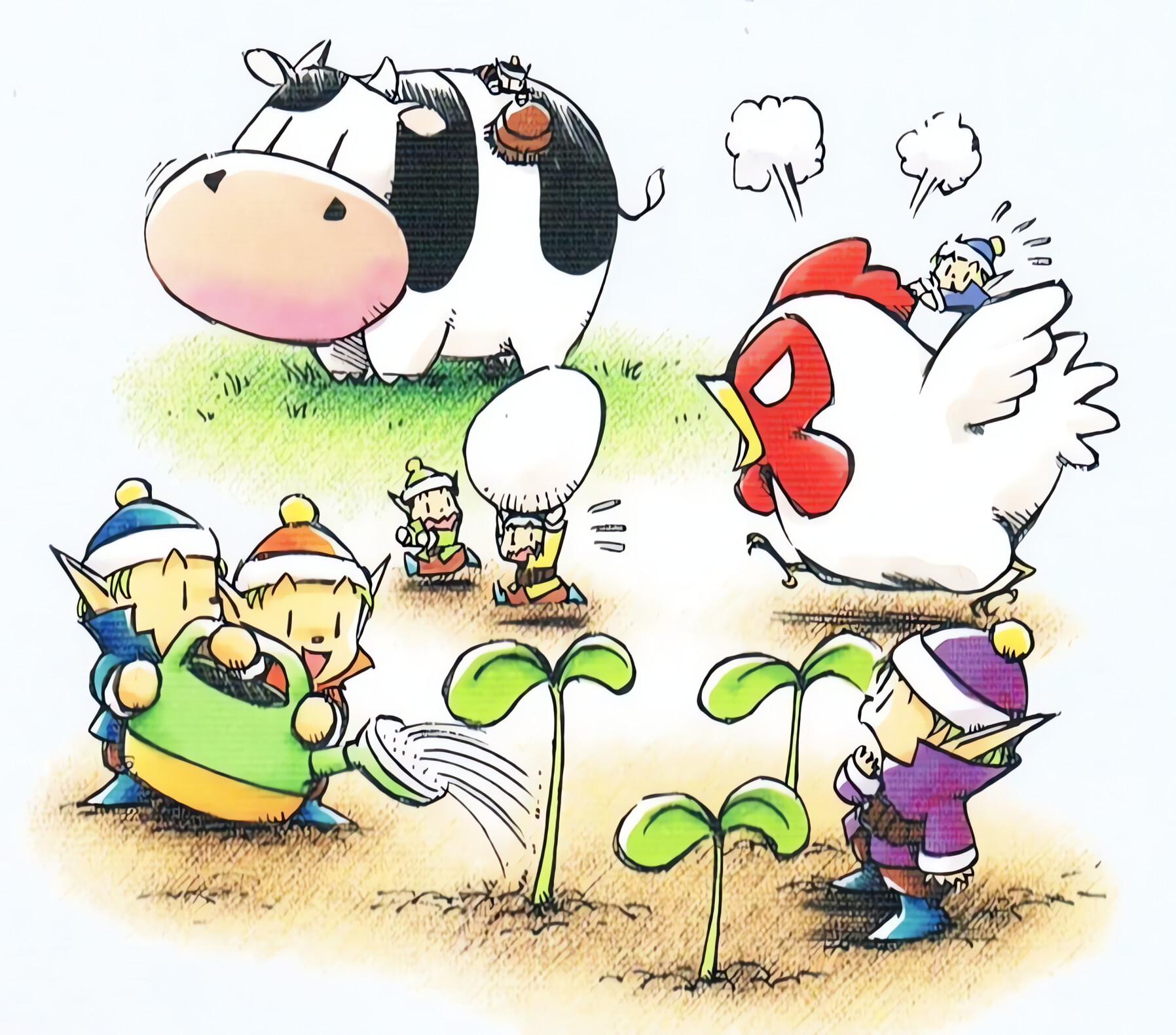
The seven Harvest Sprites at work. Official Back to Nature artwork © its owners.
This section follows the PlayStation game Harvest Moon: Back to Nature (Victor Interactive Software,
Japan 16 December 1999, English release by Natsume on 22 November 2000), not Friends of Mineral Town,
whose sprites work differently (see the glossary). In it the seven Harvest
Sprites (コロボックル, Korobokkuru) live in a small hut behind the Church. Talk to one twice to ask for
help once it has at least 2 hearts of affection, then hire it for 1 day, 3 days, or a week, starting
the next day, to water crops, harvest crops, or take care of animals. In Spring they only talk about their Tea Party, and you must talk to the same sprite five times
to get any work out of it. They look identical except for the color of their hat and shirt, and the
seven colors together span the rainbow. In Vivera each sprite is a named subagent: the name and the
color stay, but a sprite gets a fixed role in agents/crew.json instead of a free choice of job.
| Sprite | In the game (PlayStation) | Role in Vivera | Default affinity | What it does |
|---|---|---|---|---|
 Chef | Red. Birthday Fall 14. Loves to cook. In the fourth year he is found afraid of the dark, carrying a lantern. | implementer | harvesting | Implements one chunk of an approved plan, test first, inside the permitted files. |
 Nappy | Orange. Birthday Winter 22. The brothers live together in his house. | implementer | animal care | Same role as Chef, on a different chunk. |
 Hoggy | Yellow. Birthday Fall 10. Loves to sleep and is lazy about work. | implementer | harvesting | Same role as Chef, on a different chunk. |
 Timid | Green. Birthday Summer 16. Easily scared. | researcher | animal care | Investigates one narrow question about the code, the history, or the web, and edits no files. |
 Aqua | Light blue. Birthday Spring 26. Likes to dress nicely. | researcher | watering | Same role as Timid, on a different question. |
 Staid | Dark blue (sources also say blue or indigo). Birthday Spring 15. | reviewer | animal care | Audits a diff, a subagent report, or a completion claim against fresh evidence, and edits no files. |
 Bold | Purple. Birthday Spring 4. Brave, and scares others off with a battle cry. | debugger | watering | Isolates the root cause of one failing test or reproducible bug by hypothesis and probe, then fixes it at the shared cause. |
Four things are worth knowing:
- The game tracks two numbers per sprite. Affection rises one heart per 25 points and drops by 2 for every day the sprite works for you. A hidden skill level per job starts at 0, rises by 1 each time it does that job, and tops out at 255.
- Need matters, weather does not. You cannot hire a sprite for a job that has nothing to do that day, but a hired sprite still comes in a hurricane or blizzard, which makes it useful for feeding animals during storms.
- Jobs are a default, not a rule. In the game any sprite can do any of the three jobs, one per request. In Vivera the role is fixed by the roster, while the affinity column is only the default for fan-out (watering is keep-alive work, animal care is long-lived assets, harvesting is shipping). The parent may send any sprite to any chunk. See The Vivera Glossary.
- Agent colors differ for two sprites.
agents/crew.jsongives Aquablueand Staidcyan, while the game has Aqua light blue and Staid dark blue.
The sprite portraits in the table are Harvest Moon artwork from the Harvest Moon Wiki, © their respective owners. Game facts and their sources are listed in the glossary. Vivera is an independent project and is not affiliated with the Harvest Moon franchise.
Claude Code agents
The subagents are the seven Harvest Sprites. Claude Code labels a running subagent with its agent
name, so a wave of parallel chunks sent to one shared role agent shows one name over and over. Each
sprite is a named, colored copy of one of four role templates in agents/roles/, and
agents/crew.json assigns the sprites to roles. Each role preloads the phase skill it works under,
so a delegated chunk starts with the rules of its phase instead of discovering them.
| Role template | Sprites | Tools | Preloaded skill | Use for |
|---|---|---|---|---|
researcher | timid (green), aqua (blue) | Read, Grep, Glob, Bash, TinyFish MCP | sucp-brainstorm | One narrow question about the code, the history, or the web |
implementer | chef (red), nappy (orange), hoggy (yellow) | inherited | sucp-tdd-debug | One chunk of an approved plan, test first, inside the permitted files |
debugger | bold (purple) | inherited | sucp-tdd-debug | One failing test or reproducible bug, isolated by hypothesis and probe |
reviewer | staid (cyan) | Read, Grep, Glob, Bash | sucp-verify-deliver | Independent audit of a diff or a completion claim |
bun run agents:gen renders the sprites into .claude/agents/; edit a template or the roster, never
the generated files, which carry a # Generated by line in their frontmatter. bun run agents:check
fails when they drift. ./install.sh renders the same crew into ~/.claude/agents/ when Claude Code is
detected (~/.claude exists) or named with --only claude, and into five other harnesses in their own
formats (see Sprite agents on six harnesses below). The sprites then exist in every project, with the hook
path pinned to this repository because $CLAUDE_PROJECT_DIR in another project has no guard script. It
writes and removes only files that carry the marker. Staid's
color varies between sources (see docs/vivera-glossary.md), and Claude Code has no indigo, so cyan
is a stand-in. Claude Code draws the agent name on its color with no padding, so each name: is the
sprite wrapped in a no-break space (U+00A0), unquoted, which YAML keeps and plain spaces would lose.
The label then reads chef instead of chef, and a call with plain chef still resolves.
Every role carries a frontmatter PreToolUse hook, .claude/hooks/block-git-writes.mjs, that exits 2 on
the git subcommands that write state (commit, add, push, checkout, switch, merge, rebase,
reset, and more), on the writing forms of mixed commands such as stash, branch, tag, remote and
config, and on any gh call, including inside a && b chains. Read forms such as git stash list and
git branch --show-current pass. It enforces the parent-only git rule from the subagent contract.
The hook looks at the command word of each segment, matches git and gh by basename, and reads one level
into sh -c strings, so /usr/bin/git commit and sh -c "git commit" are blocked. An alias, a command
substitution that is not the value of an assignment (x=$(git commit) is blocked), a nested -c, eval, or script text piped into a shell still get past it: it is a second
line behind the contract text, not the only one. It also does not stop a Bash call from writing ordinary files, so the "does not edit files"
rule of the researcher and the reviewer is a contract, not an enforced limit.
Things that are easy to get wrong:
- There is no
CLAUDE.mdon purpose. Claude Code readsAGENTS.mditself only when noCLAUDE.mdexists in the working directory or any directory above it. Adding one here would stopAGENTS.mdfrom loading unless the new file imports it. - The
skills:names resolve from the skills Claude Code has installed, not from this repository'sskills/folder. Run./install.shfirst, or the preload is skipped with only a debug-log warning. - Frontmatter hooks of project agents run only after the workspace trust dialog is accepted for this folder. Before that the agent still runs, without the guard.
- Claude Code ignores an unknown frontmatter field without any message, so
maxTurn:instead ofmaxTurns:does nothing.bun run agents:check(also part ofbun run ci) rejects it, and rejects a hook whose script path under$CLAUDE_PROJECT_DIRdoes not exist, since a typo there turns the guard off without any message. The allowed field list is pinned to the Claude Code documentation of 2026-10-10.
OpenCode agents
When OpenCode is detected or named with --only opencode, ./install.sh renders the crew into
~/.config/opencode/agents/ with gen-sprite-agents.mjs --target opencode, so OpenCode launches the same
seven names instead of its built-in general. The format differs, and the differences were measured on OpenCode v2.0.24:
- OpenCode skips a Claude Code agent file without any message. A color name (
color: red) or the legacytools:field drops the whole agent, so the Claude Code files cannot be linked across. The OpenCode files use a hex color,mode: subagent, andstepsin place ofmaxTurns. - OpenCode ignores
skills:andhooks:. The body starts with a line telling the agent to load its phase skill, and the git guard becomes shellpermissions: everygitandghcommand is denied, then common read forms (git status,git diff,git log,git show, and more) are allowed again. The last matching rule wins and each command of ana && bchain is matched on its own.git -Cis blocked, so the agent runscd <dir> && git ...instead. - The rtk plugin rewrites
git xtortk git xbefore the match, so every rule has anrtkform. Without it, agit commit*rule blocked nothing on this machine. - Like the hook, the rules miss
sh -cstrings and aliases. The researcher and reviewer getedit: deny, so in OpenCode they cannot use the edit tools, but the shell can still write files.
Nothing of OpenCode's is committed: the files are rendered from the same templates at install time. The same
holds for every harness below except Claude Code's own .claude/agents/ in this repository.
Sprite agents on six harnesses
scripts/gen-sprite-agents.mjs renders the seven Harvest Sprites for six harnesses, from the four role
templates in agents/roles/ and the roster in agents/crew.json. Each harness is one file in
scripts/sprite-agents/targets/. ./install.sh renders them for each harness that is detected or named with
--only, and tier minimal renders none because the generator needs bun. antigravity-cli
and antigravity-builtin get none.
| Harness | File and path | How read-only roles are restricted | Git guard | Verification |
|---|---|---|---|---|
| Claude Code | ~/.claude/agents/<sprite>.md, Markdown with YAML frontmatter | tools: Read, Grep, Glob, Bash (timid and aqua also get mcp__tinyfish), so no edit tools; Bash can still write a file | A frontmatter PreToolUse hook (block-git-writes.mjs, exit 2) on git writes and any gh call; an alias, eval or a deeper sh -c get past it | Not verified: claude agents --json (Claude Code 2.1.296) lists background sessions, not agent definitions, and the interactive /agents panel was not run (it needs sign-in). The hook has its own test suite. |
| OpenCode | ~/.config/opencode/agents/<sprite>.md, Markdown with a permissions list | edit: deny; the shell is not restricted beyond git | Shell permissions: every git and gh command denied, common read forms allowed again, each git rule and gh * rule also in an rtk form (the bare gh rule and the path forms */git * and */gh * have none) | Verified (listing only): OpenCode v2.0.24 listed all seven sprites and a hand-written control agent in opencode debug agents. The first call returned [] and the second a partial list; calls 5 to 8 were stable. |
| Codex | ~/.codex/agents/<sprite>.toml, TOML with the instructions in developer_instructions | sandbox_mode = "read-only" | Prose guard only | Not run (CLI not installed). Codex may not enforce sandbox_mode for a custom agent (read in the Codex source at rust-v0.162.1, issues #45482 and #40130 reported, not reproduced), and a $ skill mention in the instructions is not scanned, so the file asks for a best-effort load. |
| Cursor | ~/.cursor/agents/<sprite>.md, Markdown with YAML frontmatter | readonly: true; Cursor has no per-agent tool list | Prose guard only | Not run (CLI not installed). A YAML comment in the frontmatter and a quoted description are unverified. |
| Copilot | ~/.copilot/agents/<sprite>.agent.md, Markdown with YAML frontmatter, prompt capped at 30,000 characters | tools: ["read","search","execute"]; execute is the whole shell | Prose guard only: with execute the shell is all or nothing, so "no git" is a request, not a limit | Not run (CLI not installed). The tools list may not be enforced (issue #2638 is open), and a user-level ~/.copilot/agents outranks a project agent with the same id. |
| Antigravity | ~/.gemini/config/agents/<sprite>/agent.md, Markdown with YAML frontmatter | tools: ["view_file","grep_search","run_command"], and commandExecutionPolicy: sandbox on every file | Prose guard only | Not verified: on Antigravity 1.3.3 agy agents listed a hand-written control agent and none of the sprites, because it lists only agents whose mainAgent is true (the default), and the sprites are written with mainAgent: false. invoke_subagent was not tested. |
- The read-only roles are
timid,aquaandstaid.chef,nappy,hoggyandboldhave notoolskey in their templates. They inherit the parent's tools on Claude Code, and get noeditrule on OpenCode, nosandbox_modeon Codex, noreadonlyon Cursor, and notoolsline on Copilot and Antigravity. - Read-only is a tool list or a flag, not a guarantee. Claude Code, OpenCode, Copilot and Antigravity keep a shell, so a shell command can still write a file. The Cursor and Codex flags were not tested.
- No hook means a prose guard. On Codex, Cursor, Copilot and Antigravity the file carries the comment
# guard: instruction only, not enforced by this harness(in the frontmatter for Cursor, Copilot and Antigravity, at the top of the TOML file for Codex), and its body tells the sprite to leave git to the parent session. Nothing stops a sprite from breaking that rule. - What an omitted
toolskey means is unverified. The Antigravity page documents an empty list as the default, so the four writer sprites may start with no tools there, and Copilot is taken to read a missingtoolskey as all tools. Neither was run. - A YAML comment inside the frontmatter carries the
# Generated bymarker and the guard label. Bun's YAML parser accepted it in every rendered Markdown file, andagyaccepted a#comment in the frontmatter of its control agent. Cursor and Copilot were not run, so it is unverified there. - Turn limit and phase skill.
maxTurnsbecomesstepson OpenCode and is dropped on the other four, whose pages list no such key. Claude Code preloads the phase skill fromskills:; elsewhere the first line of the body tells the sprite to load it. - The key names and directories of Codex, Cursor, Copilot and Antigravity come from the vendors' documentation pages read on 2026-10-11, and each of those target files names its page and date in a comment at the top. Claude Code's come from its docs of 2026-10-10, and OpenCode's from measurement on v2.0.24.
To render, check or remove one harness by hand:
bun scripts/gen-sprite-agents.mjs --target <id> --out <dir>           # render
bun scripts/gen-sprite-agents.mjs --target <id> --out <dir> --check   # exit 1 when the files differ
bun scripts/gen-sprite-agents.mjs --target <id> --out <dir> --clean   # remove the marked files
<id> is claude, opencode, codex, cursor, copilot or antigravity. Only claude has a default
directory (this repository's .claude/agents); the others need --out, and --clean always needs --out.
--hook-root is for claude only. The generator writes and removes only files that carry the
# Generated by scripts/gen-sprite-agents.mjs line, and it refuses a hand-written file that has a sprite's
name.